
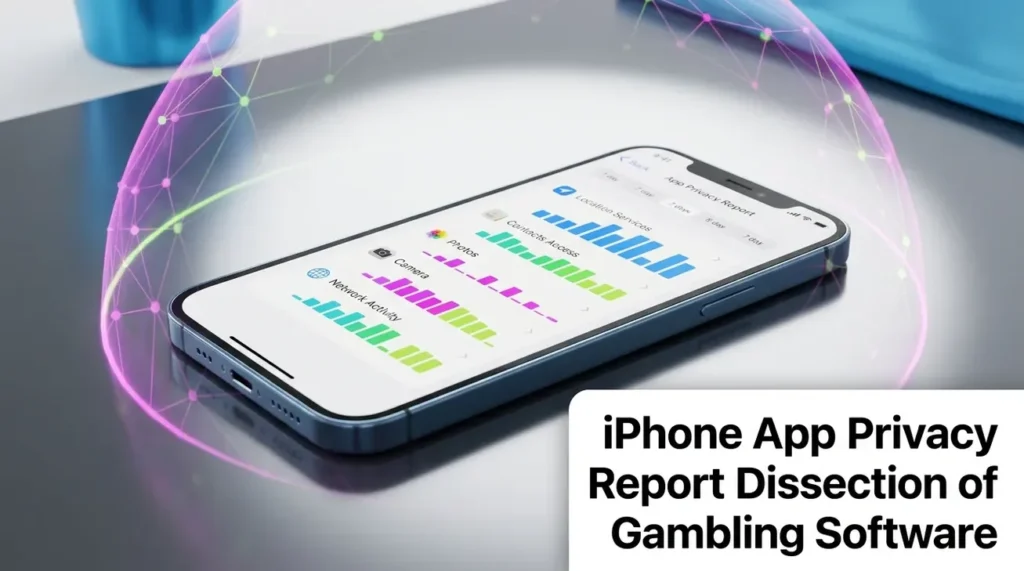
Apple’s App Privacy Report enables iPhone users in the United States to see how betting apps access and manage their data. Over seven days, it records each instance of device data retrieval, sensor activation, and network connection, logging times and endpoints. All data is encrypted and stored locally on the device. The report includes sections showing sensor activity and listing the domains contacted by the app.
- On-device seven-day event logging;
- Separation of data-access records;
- Network activity tracked independently;
- Encrypted local storage only.
App Privacy Report Basics
Apple’s privacy tools track sensor use and network traffic for each app the user installs. In the United States, iPhone users receive records that list data requests from betting and casino apps.
| Element | Description for U.S. iPhone users |
|---|---|
| Covered data types | Location, photos, contacts, media library |
| Covered sensors | Camera, microphone, motion sensors |
| Network logging scope | App domains and website domains |
| Reporting window length | Seven consecutive days |
| Storage location | On-device encrypted local storage |
| Encryption status | Encrypted with device security |
| Supported systems | iOS 15.2 or later versions |
| On-device focus | No cloud sync or upload |
| Access count records | Total events per category recorded |
| Timestamp granularity | Date and time per access |
Who This Gambling App Privacy Report Helps
App Privacy Report monitors app data access on devices. It logs access instances over a seven-day period. In the United States, certain user groups can view details from these records. Users can access this information directly instead of relying on developer statements.
- Sports bettors reviewing permissions;
- Online casino players;
- People running multiple betting apps;
- Privacy-conscious iOS users;
- Parents monitoring shared devices;
- Network connection reviewers;
- Individuals comparing App Store labels;
- Sensor access examiners;
- Gamblers tracking domain contacts;
- Users validating disclosed practices.
Turning On App Privacy Report
In the United States, iPhone owners can activate tracking for gambling applications by navigating to Settings, then Privacy & Security, and selecting App Privacy Report. Tapping Turn On App Privacy Report starts logging sensor access and network contacts from that point forward. The logging does not recover any past activity prior to activation. The report remains stored on the device and is encrypted during the recording period. Turning off App Privacy Report deletes all stored logs, and users must re-enable the feature to create a new seven-day activity record.
Understanding The Seven Day Reporting Period
The App Privacy Report captures access patterns over a seven-day window. Each section operates on the same timeframe. The report updates continuously, and older records are replaced with newer ones.
- Data and Sensor Access: seven days;
- App Network Activity: seven days;
- Website Network Activity: seven days;
- Fresh activation shows empty results initially;
- The window rolls forward each day;
- Older events disappear automatically;
- Unused gambling apps show no entries;
- New events replace older records;
- The report displays recent activity only.
Finding A Gambling App In App Privacy Report
App Privacy Report lets users locate each application and see when it accessed information. To include a betting or casino application in the report, follow these steps.
- Open Settings on the iPhone;
- Select Privacy & Security from the menu;
- Tap App Privacy Report to open the feature;
- Scroll down to App Network Activity or Data And Sensor Access;
- Find the gambling application by the name displayed on the Home Screen;
- Tap the application name to open detailed records;
- Check individual categories such as Location, Photos, Camera, Microphone, or Contacts to review timestamps and access counts.
Data And Sensor Access Categories Explained
A gambling application requests access to the device’s sensors. The system records this request in a log. The App Privacy Report logs distinct categories. Each category appears in the report after the first access event.
| Category | Description |
|---|---|
| Location | GPS query event |
| Camera | Camera hardware activation event |
| Microphone | Audio input start event |
| Photos | Photo library open event |
| Contacts | Contact list access event |
| Calendar | Calendar data read event |
| Screen Recording | Screen capture start event |
| Motion & Fitness | Accelerometer data request event |
| Bluetooth | Bluetooth scan event |
| Local Network | Network discovery event |
Location Access Records For A Gambling App
The App Privacy Report monitors betting applications on an iPhone and tracks how frequently these applications access location data, presenting data from the previous seven days. Each entry in the location section provides information about usage patterns.
- Location category appears under Data & Sensor Access;
- Access count shows total recorded events;
- Timestamps display exact access moments;
- Foreground access occurs during active use;
- Background access depends on app permissions;
- Seven-day coverage limits historical records;
- Entries show events only, not purposes;
- Settings determine foreground or background activity;
- App Privacy Report displays category after first access.
Camera And Microphone Access Events
The App Privacy Report records instances when the betting application accesses the camera or microphone and identifies the sensors used by the application. Each entry in the report follows a consistent format.
- Camera access appears as a separate category;
- Microphone access appears as a separate category;
- Each category shows individual event counts;
- Timestamps appear for each recorded use;
- Entries appear only after actual use;
- Audio or video contents remain not visible;
- Users can link events to app actions;
- Live chat features trigger camera access;
- Microphone access follows the same live chat trigger;
- The report does not describe recorded audio or video data.
Photos And Contacts Access Events
App Privacy Report categorizes access events for gambling applications and displays the time and total number of these events. Photo-library access may be triggered by profile photo uploads, while contact-list access may be triggered by friend-finder features. The report does not display individual picture thumbnails or contact names and covers a maximum period of seven days.
- Photos access appears separately;
- Contacts access appears separately;
- Events log access moments only;
- Counts displayed, not picture thumbnails;
- Contact names stay hidden; only counts appear;
- Profile photo upload triggers access;
- Friend-finder features trigger access;
- Events limited to seven days;
- Access timestamps show the exact time of each activity event.
App Network Activity For A Gambling App
App Privacy Report tracks the network connections of a gambling app. For each entry, it shows the contacted domain name and the access timestamps. These domain entries are recorded over a seven-day period. The report does not reveal transmitted data.
| Domain Type | Function |
|---|---|
| Application backend server | Handles login requests |
| Payment processing provider | Processes deposit transactions |
| Analytics tracking service | Records user interaction events |
| Push notification host | Sends promotional alerts |
| Content delivery network | Serves promotional images |
| Crash reporting service | Logs application errors |
| Support chat service | Manages live chat |
| Authentication verification service | Confirms user identity |
Website Network Activity From A Gambling App
Betting applications display web content through an embedded browser. The App Privacy Report monitors these activities in a dedicated section. Within this section, the report shows the website domains that the application has visited over the past seven days.
- Website domain names appear;
- Promotional pages can trigger entries;
- Help centers can trigger entries;
- Access times appear in entries;
- Access counts appear per domain;
- Page titles stay hidden;
- Page content stays hidden;
- Only domain and timestamp data;
- No detailed browsing history;
- In-app browser sessions only.
Frequently Contacted Domains Summary
App Privacy Report displays domain entries. It identifies the servers that a betting app connects to during use.
| Domain Type or Behavior | Interpretation Hint |
|---|---|
| App main server | Core app communication hub |
| Tracking host | Analytics data endpoint |
| Payment gateway | Financial transaction processor |
| Ad service | Advertisement content delivery |
| Support chat service | Live assistance connection |
| Content delivery network | Media and asset host |
| Authentication server | User login verification |
| Third-party SDK endpoint | Embedded library communication |
| Affiliate tracking domain | Marketing referral tracker |
How To Read Timestamps And Event Totals
Each entry in the App Privacy Report documents a single access event, with a timestamp indicating the moment of each access. Multiple events can occur within one session. Records indicate the frequency and timing of access over the past seven days. The report presents frequency of access in a specific format and shows the number of access events along with their timestamps.
- Counts show event frequency totals;
- Timestamps display exact access times;
- Multiple events occur in sessions;
- Single actions trigger many domains;
- Counts reveal no access reasons;
- Transmitted content stays hidden;
- Data size stays unrecorded;
- Seven-day limitation applies strictly.
How To Compare App Privacy Report With App Store Labels
Begin by opening the App Store on the iPhone and searching for the gambling application. Scroll down to the App Privacy section. Review each listed category, which can include data linked to a person or data used for tracking. Note every sensor and each type of information shown in the privacy label. Next, open Settings and tap Privacy & Security. Select App Privacy Report. Locate the gambling app in the report. Check which sensors the app accessed and the domains it contacted. Compare these details to the categories displayed in the App Store. Pay attention to any unexpected sensor access or unfamiliar network domains.
What Matters For App Privacy Report In The United States
App Privacy Report is offered on iPhones in the United States that use iOS 15.2 or later. The report covers data from the last seven days. It lists details whenever an app accesses any sensor category. The report also identifies the network domains each app contacts. All information remains protected by local encryption. The phone never uploads these logs to the cloud. If a user disables the feature, the device deletes all stored data.
Example Checklist For Reviewing One Gambling App
An iPhone owner in the United States can monitor a betting app’s activity for a period of seven days. To do this, the owner needs to enable the device setting and interact with the app. The App Privacy Report displays information such as sensor usage, the contacts the app accessed, and the domains it connected to. After the seven-day period, the owner can review the log to see what data the app used and which endpoints it reached.
- Enable App Privacy Report;
- Use gambling app normally;
- Check Data And Sensor Access;
- Examine location access records;
- Review camera and microphone access records;
- Check photos access records;
- Check contacts access records;
- Review App Network Activity;
- Review Website Network Activity;
- Reset report data as needed.
Conclusion On Using App Privacy Report For Gambling Apps
In the United States, people can use the App Privacy Report to review how betting applications handle data and connect to networks. The report shows which sensors these applications have accessed and which domains they have contacted during the past week. Users can then compare this information with the disclosures provided in the App Store.
- Report covers seven-day window;
- Location, photos, camera recorded;
- Microphone and contacts tracked;
- Network domains also listed;
- Timestamps show exact access;
- Settings remain adjustable anytime;
- Compare with App Store labels;
- Refresh data as needed.
Frequently Asked Questions
How does a United States iPhone owner check what data a gambling app accesses?
Open Settings and select Privacy & Security. Navigate to App Privacy Report. Locate the gambling app under Data & Sensor Access. Review each category: location, camera, microphone, photos, and contacts. Look at the activity recorded for each category.
Does App Privacy Report show what information a betting app sends to external servers?
The report lists the contacted domain names, access counts, and timestamps, but does not include data or transaction details, nor do the authors specify what information they shared with the servers.
How long does iPhone App Privacy Report keep gambling app activity?
App Privacy Report keeps data for seven days. Each time a new event occurs, the system removes the oldest entry. If the user disables this feature, all stored information is deleted.
For other iPhone setup or account questions, see the iPhone casino app guide, troubleshooting an iPhone casino app and iPhone location permission checks.